

A good starting point is to put the phone down about 30 minutes before you want to be asleep, charge it away from the pillow, and look only at quiet, dim things after that. Some people find an hour easier, so begin with 30 minutes and adjust to whatever you can keep up.
You tell yourself you will check one thing, and twenty minutes later you are still scrolling. The clock moves and you feel more awake than when you got into bed. That is not weak willpower: phones are built to keep you looking. This guide is about making the phone work for you at night instead of against you, as a set of things to try rather than a rulebook.
Tonight Pick a cutoff about 30 minutes before sleep and charge the phone out of arm’s reach. If it stays in bed, let it play a sound instead of a feed.
Why the phone and bed are a tricky mix
A phone is built to keep you engaged. Every new post or message gives your mind a little reason to stay switched on. A bright screen held close to your face also tells your body it is still daytime, according to commonly given advice. If you are tired but wide awake after scrolling, read tired but can’t sleep.
There is also a quieter effect. If you often do other things in bed, such as answering messages or watching videos, your brain may start to link the bed with being busy instead of with sleep.
How long before bed should you stay off your phone?
Commonly given advice is somewhere between 30 minutes and an hour before the time you want to be asleep. It is a guideline, not a rule, and the right length differs from person to person. You do not need to quit hours ahead. Keeping to 30 minutes is more realistic than aiming for an hour and giving up after two nights.
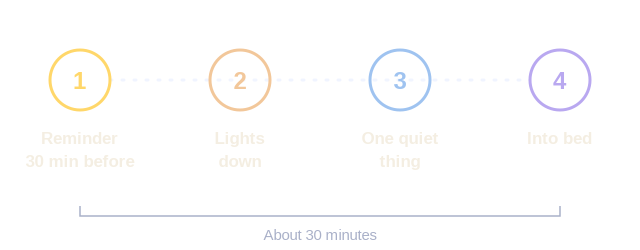 Your cutoff is the first step of the evening: leave the screen, dim the lights, then do one quiet thing.
After the cutoff, one quiet thing that is not on a screen is plenty. A bedtime routine that sticks shows how to build the whole evening one step at a time.
Small changes to try tonight
Charge the phone away from the pillow
Putting your charger across the room, or at least out of arm’s reach, removes the automatic reach for it. If you use the phone as an alarm, set it up before you get into bed, then leave it there.
Make the screen quiet
If you do look at it, dim the brightness, use any warm-color or night setting your phone has, and turn off nonessential notifications. Messages arriving at 11 p.m. do not need to light up your room.
Choose what you look at
Not all screen time is equal. News, social media and work messages tend to stir you up. Something slow and soft, like a familiar show on low volume or a simple game, is often easier to wind down with.
Have a rule for when you wake at night
Picking up the phone at 3 a.m. makes it hard to fall asleep again. Decide ahead of time what you will do instead, such as breathing quietly or listening to a steady sound. If this happens a lot, see why you keep waking at 3 a.m..
If you cannot stop using your phone before bed
Be kind to yourself about it. Many people use their phones to relax, and an all-or-nothing rule is easy to break. Aim for “less” instead of “none”, and decide where and when you will look before the urge hits. Something as small as “I scroll on the sofa and the phone does not come to bed” can loosen the link between bed and screen. A better goal is a shift: shorter time, dimmer light, calmer content. Once the phone is down, how to fall asleep fast lists what to do with the next half hour.
Let the phone play the sound, not the feed
One way to keep your phone in bed without the scrolling is to use it as a speaker. Some people put on rain, which fills the room evenly without drawing attention. You can hear it for thirty seconds on our rain sound page, then set the phone down.
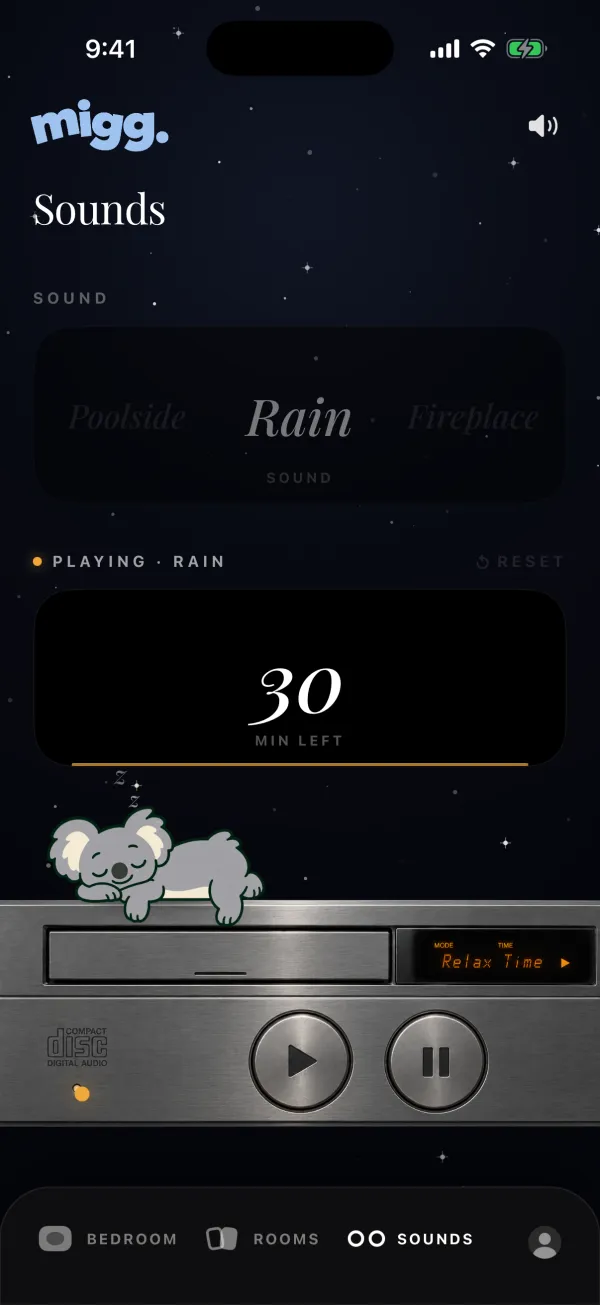 Screen down, sound on. The phone’s only job is to play the sound.
When to talk to someone
A restless week is not a cause for alarm. But if you struggle to sleep most nights for weeks, or if poor sleep is affecting your daytime life or mood, please see a doctor or another health professional.
Where migg fits
In migg, you spend the night in a cozy room with a koala. The Rain on the Glass room, an apartment in Tokyo, plays steady rain until morning, and the sounds loop all night. You start it, put the phone down and let it run. You can read about the Rain on the Glass room first. migg is free to download, and the yearly plan has a 7-day free trial.
migg is not a medical device and does not treat any condition. It is also an app on your phone, so it will not suit you if you want to keep screens out of the bedroom completely.
This article is general information, not medical advice. If sleep problems last for weeks or affect your days, please talk to a doctor.